How to Run a 5-Minute Security Audit on Your Emergent App (2026)

Written by the Rafter Team
· Updated
Estimated reading time: 9–11 minutes
Are you building with Emergent? Then security isn't optional.
AI builders move fast. Platforms like Emergent make it effortless to design, code, and deploy full-stack apps in minutes. But with speed comes a quiet risk — AI-generated code isn't automatically secure.
Hidden API keys, insecure dependencies, unsanitized inputs — these aren't edge cases anymore. They're the default in a world where agents write your code.
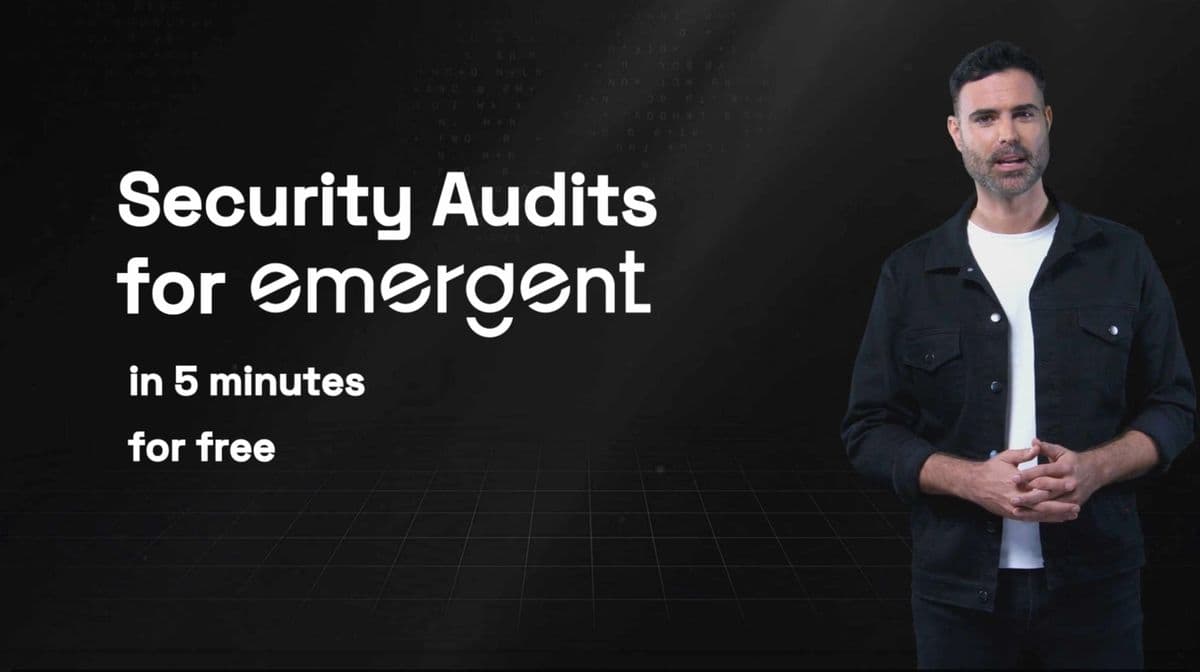
The good news: you can audit and fix your entire Emergent app in five minutes using Rafter, a free, developer-friendly tool that automatically scans your codebase for vulnerabilities and feeds fix prompts directly to your Emergent AI.
By the end of this guide, you'll know exactly how to:
- Run a Rafter security audit on your Emergent app
- Interpret the findings and apply fixes
- Re-scan your project and automate future audits
All for free. No prior security knowledge required.
Introduction
The rise of AI app builders like Emergent has changed how software gets written. What used to take weeks of manual coding now takes hours of natural-language prompting. But while Emergent handles UI, logic, and deployment, security is still your responsibility.
AI-generated apps are particularly vulnerable to:
- Insecure third-party dependencies
- Hardcoded secrets or API tokens
- Unsanitized input that enables injection attacks
- Overly permissive authentication or storage rules
A single missed issue can expose private data or grant attackers access to your backend.
That's where Rafter comes in. Rafter connects directly to your Emergent project via GitHub, runs a static analysis scan, categorizes vulnerabilities by severity, and generates AI-ready fix prompts. You stay in control while your AI agent does the heavy lifting.
Step 1 — Connect Your Emergent Project to GitHub
Before Rafter can analyze your code, you need to sync your Emergent project with GitHub.
Next, open your project in Emergent and connect it to GitHub:
- Open the profile menu in the top-right corner.
- Click Connect to GitHub.
- Scroll to the permissions section and click Install and Authorize.
- At the bottom of the page, under the chat box, click Save to GitHub to confirm.
Now you're ready to run the audit.
If you don't already have a GitHub account, create one here — it's free and takes less than a minute.
Why GitHub?
GitHub is where your code lives outside Emergent. It provides version control, secure collaboration, and allows tools like Rafter to analyze your repository safely.
Rafter uses read-only permissions, meaning it can't modify, delete, or push code. It only reads your repo's contents to run the scan.
Example repo structure (for reference):
my-emergent-project/
├── components/
├── pages/
├── styles/
├── package.json
└── .env
Step 2 — Run Your First Rafter Scan
With your project synced, you're ready to scan.
- Go to rafter.so.
- Accept cookies and click SCAN NOW.
- Sign in with GitHub — this also creates your Rafter account automatically.
- Select your Emergent project repository.
- Choose the branch (defaults to
main). - Click START SCAN.
That's it.
Rafter will analyze your codebase. For most Emergent projects, it takes under a minute. Larger repositories may take two or three.
What Rafter checks for
Rafter performs a fast, read-only static analysis that detects:
- Leaked secrets (e.g. API keys, tokens, credentials)
- Dependency vulnerabilities from known CVE databases
- Unsafe code patterns (injections, evals, etc.)
- AI-generated anti-patterns (overly permissive handlers, missing validation)
- Configuration issues in environment or CI/CD files
When it's done, you'll see your results in a clean dashboard.
Step 3 — Review and Interpret Results
Rafter automatically categorizes findings into three tiers:
| Severity | Description | Example |
|---|---|---|
| Critical | High-risk issues that could expose or damage user data | Exposed API key, unsanitized input, remote code execution |
| Warning | Medium-risk or situational issues | Deprecated package, missing rate limiting |
| Improvement | Low-risk suggestions and best practices | Stronger type checks, redundant condition removal |
Each finding includes:
- A short explanation of the issue
- A code snippet or file reference
- A prompt-ready fix suggestion for your Emergent AI agent
Example:
{
  "severity": "Critical",
  "description": "Hardcoded API key found in config.js",
  "fix_prompt": "Remove the hardcoded API key from config.js and use environment variables instead."
}
You can copy these prompts directly into Emergent.
Visualizing the feedback loop
Step 4 — Fix Vulnerabilities Using Your Emergent Agent
The fastest way to fix vulnerabilities is to let your AI do it — with context.
- Copy the "Critical" issues from your Rafter report.
- Paste them into your Emergent agent chat.
- Ask the agent to apply the suggested fixes.
Rafter's prompts are pre-engineered for AI agents, so your Emergent assistant should understand and execute them without additional tuning.
Why Rafter doesn't auto-fix your code:
Emergent is a co-creative coding environment. You stay in control, Rafter identifies issues, and the AI makes precise, reversible edits under your supervision.
After resolving critical issues, repeat for Warnings and Improvements.
Once all are addressed, push your changes (or let Emergent auto-sync), and move to the next step.
Step 5 — Re-Scan and Automate
Security isn't a one-and-done process. Each time you ship a new feature or your AI modifies code, re-scan your app to confirm no new vulnerabilities were introduced.
To re-run a scan:
- Go to your Rafter dashboard.
- Select the same repo and branch.
- Click START SCAN again.
Automate it
If you're pushing code regularly, you can automate security scans so they run after every update — no manual clicks required.
Rafter integrates directly with GitHub Actions and other CI/CD tools. Once configured, each time you commit or deploy, Rafter automatically scans your repo and updates your dashboard.
👉 Learn how to set it up in our guide:
Integrating Rafter with GitHub Actions →
Security Hygiene Checklist
- Connect your project to GitHub
- Run initial scan with Rafter
- Fix all critical and warning issues
- Re-scan after each major update
- Automate scans with CI/CD (recommended)
Simple habits, major protection.
Common Pitfalls and Pro Tips
1. Forgetting to re-scan after AI edits
AI-generated fixes can introduce new bugs or regressions. Always validate with another scan.
2. Granting full GitHub access
Rafter only needs read-only repo access. Avoid granting organization-wide or write permissions.
3. Ignoring warnings
Many "warnings" turn into security incidents later. Prioritize them as part of regular maintenance.
4. Automate everything
Set a weekly scheduled scan. Rafter can email or Slack you the results.
5. Track changes over time
Use Rafter's dashboard metrics to see your vulnerability count trend down as your app matures.
Conclusion
Building fast doesn't mean building insecure.
With Rafter, you can audit, fix, and re-verify your Emergent app's security in minutes — no complex setup, no expensive tools, and no security team required.
Every time you ship, re-scan. Keep your AI-built projects as resilient as your ambition.
Start your first scan today → rafter.so
🎥 Or follow along with the full video tutorial:
Related Resources
Internal
- Top 10 AI Security Risks in 2026
- How AI Code Audits Work Under the Hood
- Vibe Coding Security: The Complete Guide
- Supabase RLS for Vibe-Coded Apps: The Security You're Missing
- Next.js Security Checklist for AI-Generated Projects
- Why You Need Independent Security Audits for Vibe-Coded Apps
- Integrating Rafter with GitHub Actions
- OWASP Top 10 for LLM Applications
- Emergent Documentation