Secrets, API Keys, and .env Files, Done Right
Written by the Rafter Team
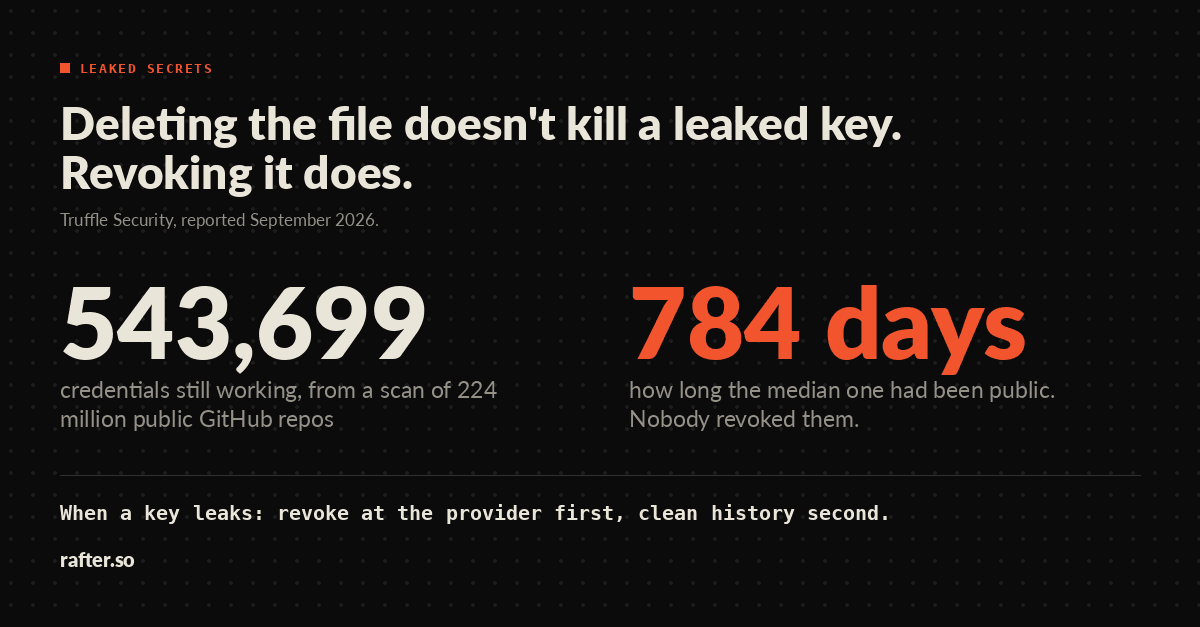
A leaked key stays dangerous until someone revokes it, no matter how many files you delete. In September, Truffle Security reported scanning a snapshot of 224 million public GitHub repositories and finding 543,699 credentials that still worked when tested in July 2026. The median one had sat in public for 784 days; the oldest was committed in 2009. Those keys survived because nobody revoked them.
What counts as a secret
A secret is any value that lets its holder act as your app. If you are not sure, ask what someone could do with the value.
- API keys and tokens for Stripe, OpenAI, AWS, Twilio, and any other service your app calls.
- Database passwords and connection strings, such as a
DATABASE_URL. - OAuth client secrets and refresh tokens.
- Signing keys for JWTs (the tokens many apps use to prove who is logged in), session cookies, and webhooks.
- SSH keys, deploy keys, and TLS private keys.
None of these belong in source code, a commit, a log line, or a browser.
The browser can't keep one
# .env — do not do this
NEXT_PUBLIC_STRIPE_SECRET_KEY=sk_live_...
Next.js copies any variable prefixed NEXT_PUBLIC_ into your JavaScript at build time; its docs say the value "will be inlined into any JavaScript sent to the browser."
Vite does the same for VITE_, and Vite's docs say those variables "should not contain sensitive information such as API keys."
Name a variable NEXT_PUBLIC_STRIPE_SECRET_KEY and the framework ships your live Stripe secret key to every visitor, readable in the page's JavaScript.
The fix is not a different prefix but a different place: a secret key never leaves the server. Call the service from an API route or server action, and give the browser only what it needs, such as a publishable key, a short-lived token, or a signed URL. If an AI tool wrote your frontend, check its bundle for keys before you trust it.
Set it up before the first commit
touch .env
printf '.env*\n!.env.example\n' >> .gitignore
git add .gitignore
That ignores .env, .env.local, .env.production, and the rest, while still letting you commit a .env.example with variable names and no real values, so the next person knows what to fill in.
A .gitignore rule only stops files git is not already tracking.
If .env was committed before the rule existed, git keeps tracking it until you run git rm --cached .env, and every old commit still holds its values.
When a key leaks, revoke before you clean
The moment a real key shows up somewhere it shouldn't—a public repo, a shared log, a pasted terminal output—treat it as used. Revoke it at the provider and issue a new one first.
Then clean up, knowing that deleting the file or even the commit is not enough.
The key still sits in older commits, forks, and every clone made before you noticed.
GitHub's guide uses git filter-repo to rewrite history, then a force-push that every collaborator has to handle.
GitHub itself says it will only help purge cached copies when the risk "can't be mitigated by rotating affected credentials."
History cleanup is hygiene; revoking the key is the fix.
The leaked API key runbook walks through both steps, provider by provider.
Scope every key down
Most providers let you limit a key when you create it: read-only instead of read-write, one project instead of the whole account. A leaked read-only key for one resource costs an afternoon of rotation. A leaked admin key is an incident. API Keys Explained covers the common key types and what each can reach.
Production doesn't read from a file
A .env file is for your laptop.
Copy it into a Docker image or a build artifact, and every secret ends up in a file anyone with the image can read.
Your host or cloud has a place for these values instead: Vercel, Netlify, Railway, and Fly all let you set environment variables outside your code, and AWS Secrets Manager, Google Secret Manager, Azure Key Vault, and HashiCorp Vault store them for larger setups.
The value reaches your app at deploy or start time, and your code still reads process.env.DATABASE_URL as before.
It just never passes through a file someone can commit, bake into an image, or paste into a ticket.
Coding agents read .env too
A coding agent with access to your repo can usually read .env.
The risk is what happens next: a key copied into an example, a debug line that prints it, or a command's output saved to a log or chat transcript.
If the agent does not need the values, block it.
In Claude Code, a deny rule such as Read(./.env) in your settings stops it reading the file, including through commands like cat, though the docs note it does not cover grep -r or a script that opens the file itself.
Either way, scope the keys down and scan every commit, whoever staged it.
The short version
- Treat any value that lets someone act as your app as a secret.
- Ignore
.env*before the first commit. - Never give a secret a
NEXT_PUBLIC_,VITE_, or other public prefix. - Scope every key to the least it needs.
- If one leaks, revoke at the provider first and clean history second.
- In production, set secrets in your host's settings and keep
.envfiles off the server. - Scan before every commit, including an agent's.
Before launch, run these alongside the rest of the pre-launch security checklist.
Use Rafter to scan every commit
Rafter's CLI is free and MIT-licensed, and it runs that last step on your machine with no account and no API key.
npm install -g @rafter-security/cli   # or: pip install rafter-cli
rafter secrets .                      # scan the project now
rafter agent install-hook             # scan staged changes on every commit
rafter secrets matches AWS, GitHub, Stripe, Google, Slack, and other common key formats, prints the file, line, and a redacted value, and exits with status 1 when it finds one, so you can use it in CI too.
The hook blocks a commit when it finds a secret in the staged changes, whether you or an agent made it.
Set it up today, while a leak still costs you one revoked key instead of a history rewrite.